How it works
One sync. Full control.
SteamManager connects to your running Steam client to read your library and achievements. Data is cached locally so you can browse everything instantly.
Launch & sync
Open SteamManager. It reads your local Steam profile and fetches your owned games from the Steam API automatically.
Browse offline
Your entire library is cached locally. Search, filter by type, and browse results instantly — no internet required.
Track achievements
Select any game and see full achievement details: unlock date, global rarity, and search/filter by name. All offline.
Refresh when ready
Sync new games or updated achievements with one click. The app auto-updates itself when a new version is available.
Features
Built for Steam power users
Everything you need to manage your library without opening Steam. Fast, local, and privacy-first.
UI.
Achievement browser built for clarity
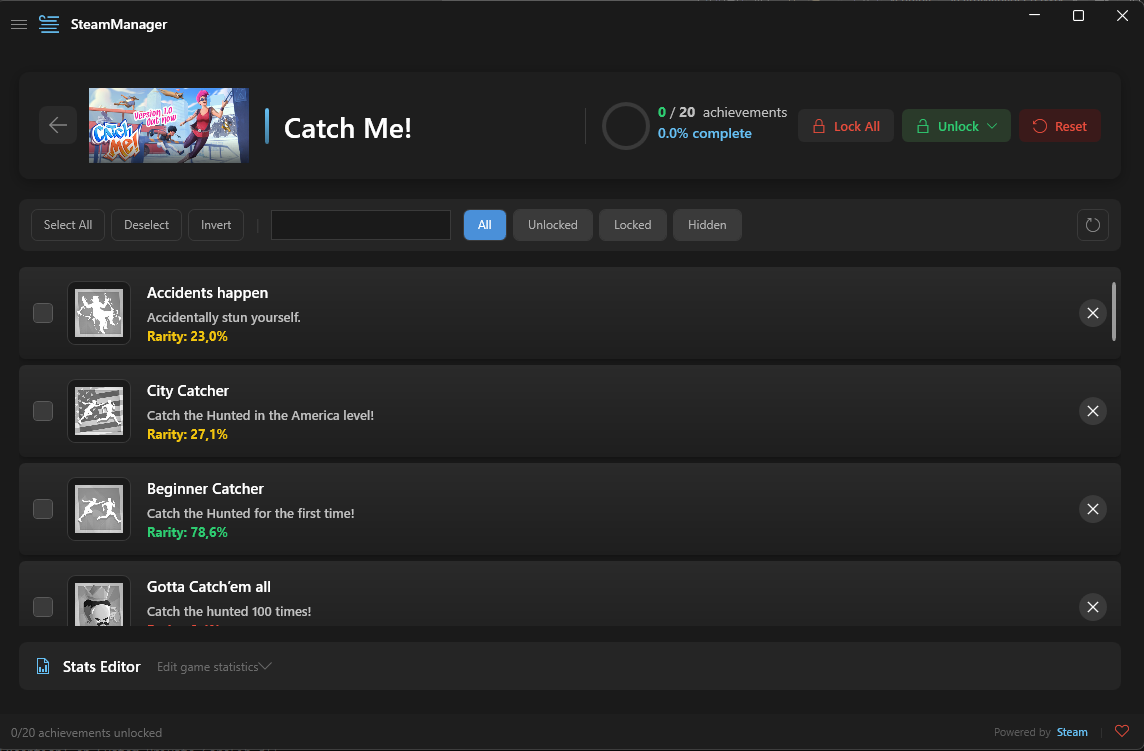
Full achievement lists with global rarity, unlock dates, search, and filter — all in a clean WPFUI interface.
Smart Filters
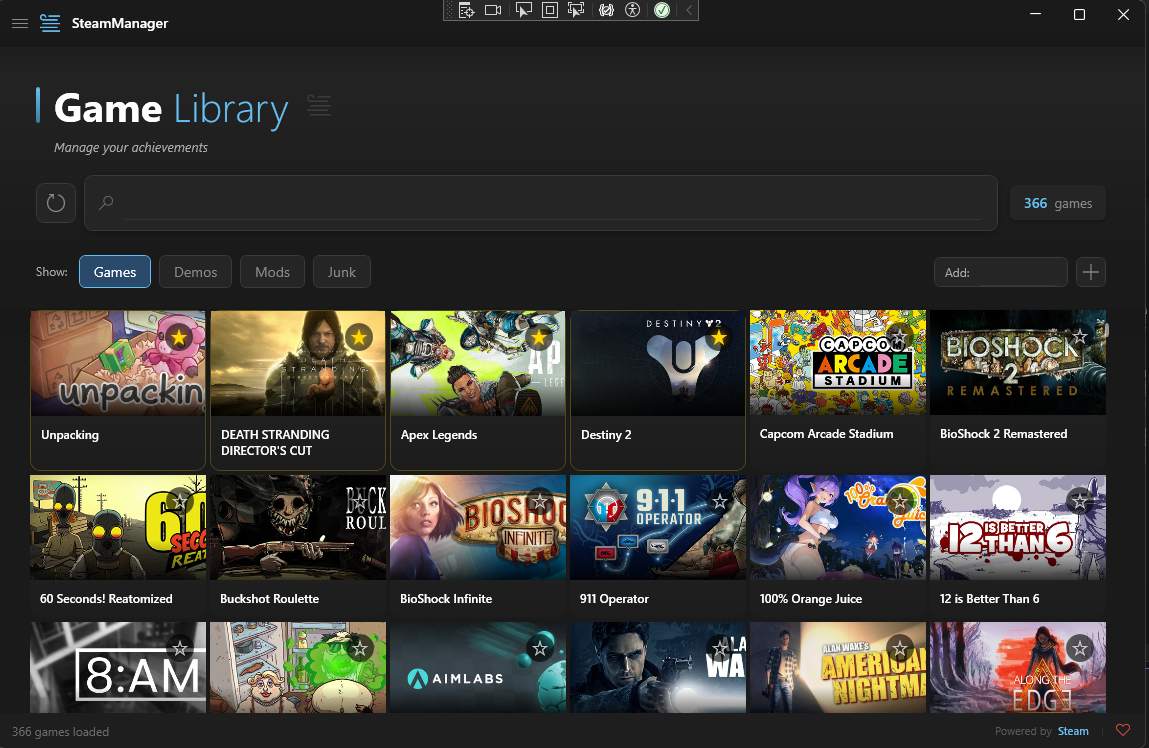
Filter by game type, search by name, sort by favorites.
Global Achievement Rarity
Every achievement shows the global unlock percentage from Steam. Color-coded by rarity.
Favorites & Bookmarks
Star your most-played games for quick access. Favorites are highlighted with a gold accent.
Everything included
No ads, no sign-up, no telemetry.
Screenshots
See it in action
Clean, dark interface built with WPFUI. Every element designed for clarity and speed.
Privacy
Your data stays yours
SteamManager is designed with privacy first. No accounts, no telemetry, no data collection.
SteamManager
Safe & PrivateWhat it does
Reads your local Steam userdata directory and fetches game/achievement data from Steam's public API. All game data is cached locally for offline access.
- Reads local Steam userdata
- Fetches achievements via Steam API
- Syncs game list from gib.me
- Caches everything for offline mode
What it never does
SteamManager never sends your data anywhere. No telemetry, no analytics, no tracking of any kind.
- No telemetry or analytics
- No account required
- No login credentials stored
- No data sent to third parties
- No background processes
SteamManager is a third-party tool built for educational purposes. It uses Steam's official public API methods and reads local userdata files. You are responsible for compliance with Steam's Terms of Service. This project is not affiliated with Valve Corporation.
FAQ
Common questions
Does this replace the Steam client?
No. SteamManager is a companion tool for browsing your library, tracking achievements, and organizing games. You still need Steam installed to download and play your games.
Can I use it without internet?
Yes. After the initial sync, all game and achievement data is cached locally. You can browse, search, and filter your entire library completely offline.
How do achievements work?
Achievement data is fetched from Steam's public API and cached locally. Each achievement shows its name, description, icon, unlock date, and global rarity percentage.
Is my Steam account safe?
Yes. SteamManager only uses read-only public API endpoints. No credentials are ever stored, no login is required, and no write operations are performed on your account.
How do I add a game not in my library?
Use the "Add by App ID" feature. Enter any Steam App ID and SteamManager will verify ownership before adding it.
How do I update SteamManager?
SteamManager includes a built-in auto-updater. You'll be prompted on launch. Click "Update Now" and the app updates itself and restarts automatically.
Does it support Steam Deck or Linux?
Currently, SteamManager is built for Windows 10/11 only (.NET 8 + WPFUI). Linux/macOS support is not planned at this time.
Is this open source?
Yes. Fully open source under the GPL-3.0 license. The entire source code is available on GitHub.
Ready to take control of your library?
Free, open source, and built for Steam enthusiasts.